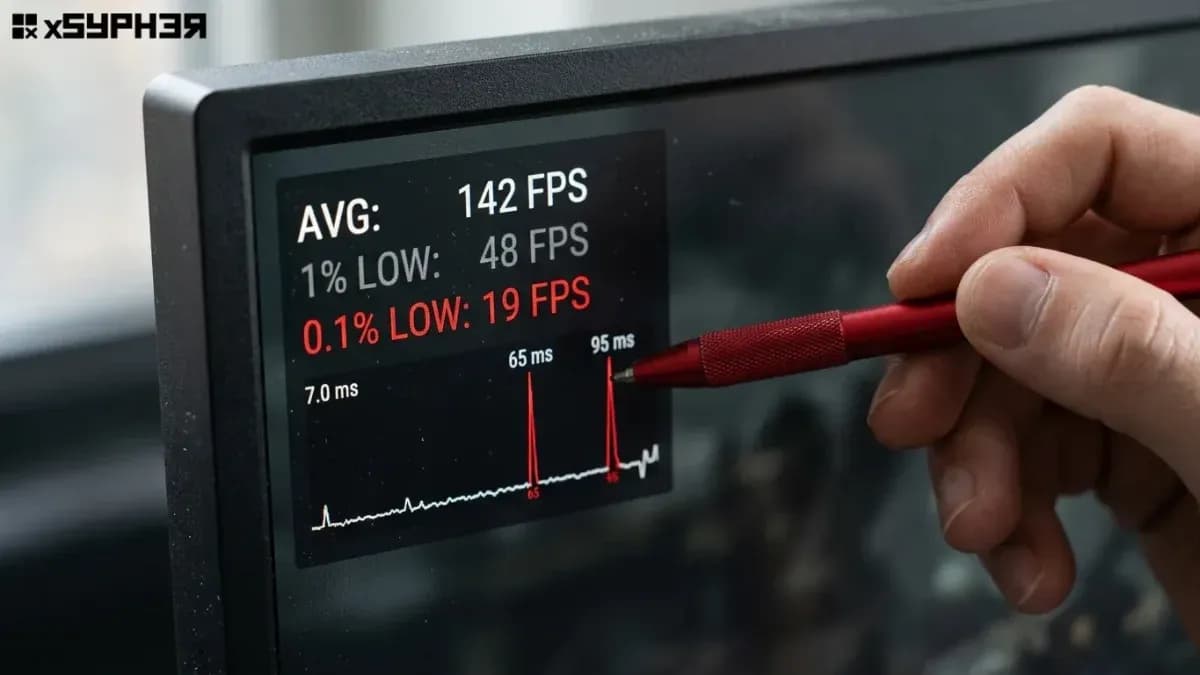
An ALTER TABLE orders ADD COLUMN status_v2 text; on a 512GB table executes in roughly two milliseconds. It updates one catalog row. It touches no heap pages. And it can still take an entire payments platform offline for four minutes, because the statement spends 240 seconds waiting for a lock that it never gets to use politely.
The DDL is not the outage. The lock queue in front of it is. Everything below is about keeping migrations out of that queue: fail-fast lock timeouts with retries, NOT VALID constraints, keyset-paginated backfills throttled against replica lag, CONCURRENTLY index builds, and a direct connection that bypasses PgBouncer. Version behaviour described here holds for PostgreSQL 13 through 18; a few shortcuts are version-gated and flagged where they appear.
Two milliseconds of DDL, four minutes of downtime
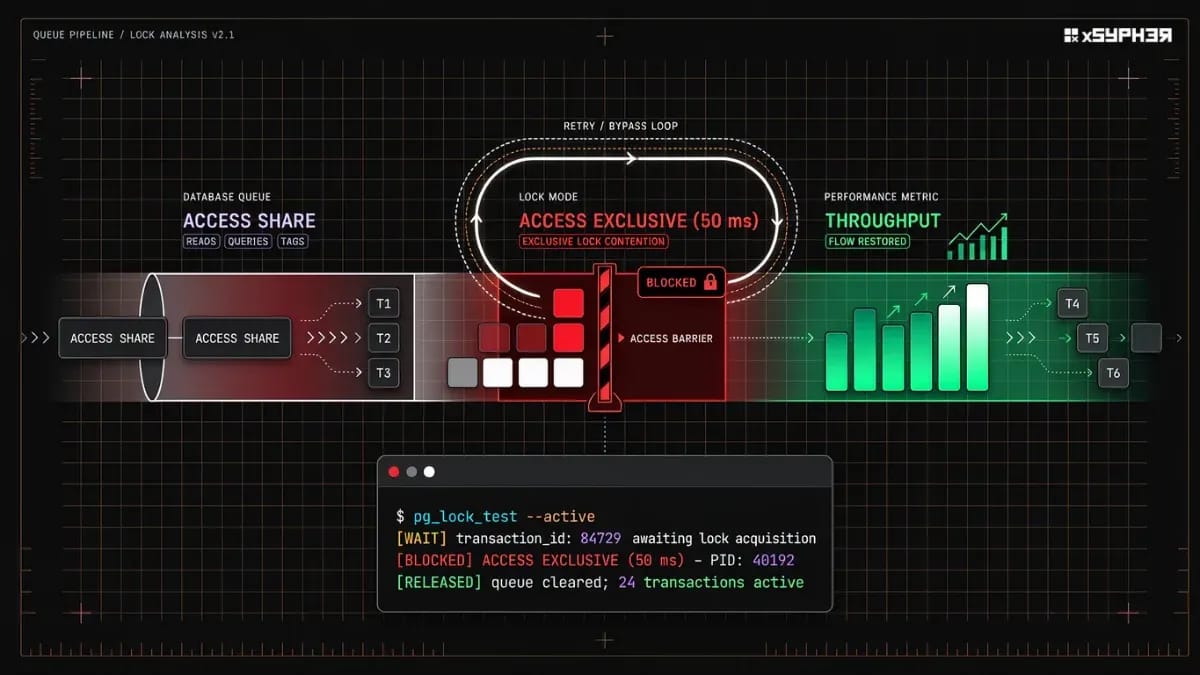
PostgreSQL has eight table-level lock modes, and the conflict matrix in the explicit locking docs is the entire story. SELECT takes ACCESS SHARE. INSERT, UPDATE and DELETE take ROW EXCLUSIVE. Most forms of ALTER TABLE take ACCESS EXCLUSIVE, which conflicts with every other mode, including the one plain reads use.
The failure mode is queue fairness. A lock request that cannot be granted immediately goes to the back of the wait queue for that relation, and new requests that conflict with anything already queued line up behind it rather than jumping ahead. So the sequence looks like this:
An analytics
SELECThas been scanningordersfor eight seconds, holdingACCESS SHARE.Your migration asks for
ACCESS EXCLUSIVE. It conflicts, so it waits.The next
SELECTfrom your API conflicts with the queuedACCESS EXCLUSIVErequest, so it waits too. So does the next one. And the next.
At that point the table is effectively offline for reads and writes even though nothing is being modified. On our test bench (PostgreSQL 17 on 16 vCPU, 64GB RAM, gp3 storage at 12,000 provisioned IOPS, a 512GB orders table with roughly 1.1 billion rows), we reproduced this with a synthetic load of 2,400 queries per second across 30 application pods holding 20 pooled connections each. The first queued query appeared at t+0ms. The pool was fully saturated at t+1.4s. Health checks that shared the same pool started failing at t+9s, and the orchestrator began restarting pods, which made recovery slower than the original lock.
The arithmetic is unforgiving: a pool of 600 connections and 2,400 qps fills in well under a second. Connection pool exhaustion, not lock duration, is what converts a stalled DDL into a full outage.
Statement | Lock mode taken | Blocks reads? | Blocks writes? |
|
| No | No |
|
| No | No |
|
| No | No |
|
| No | Yes |
|
| No | Yes |
Most |
| Yes | Yes |
The practical read of that table: anything in the bottom row needs to be acquired instantly or not at all, and anything in the SHARE UPDATE EXCLUSIVE row can run for an hour without a reader noticing.
Seeing the queue while it is happening
Keep this query in a snippet file, because you will want it under pressure rather than after.
SELECT pid,
       state,
       wait_event_type,
       wait_event,
       now() - query_start   AS runtime,
       pg_blocking_pids(pid) AS blocked_by,
       left(query, 70)       AS query
FROM   pg_stat_activity
WHERE  backend_type = 'client backend'
  AND  datname = current_database()
ORDER  BY runtime DESC NULLS LAST
LIMIT  25;
The root blocker is the PID that appears inside other sessions' blocked_by arrays but has an empty array of its own. In our bench that was consistently a reporting query or an idle in transaction session left open by an ORM, not the migration itself. Cancelling the DDL with pg_cancel_backend() drains the queue in milliseconds; cancelling the original long reader does not, because the DDL simply takes its place at the head.
Set lock_timeout to 50ms, then retry like you mean it
The fix for the queue is refusing to stand in it. lock_timeout aborts a statement that cannot acquire its lock within the configured interval, raising SQLSTATE 55P03 (lock_not_available). A migration that fails fast and retries costs you a few wasted attempts; a migration that waits costs you the service.
Fifty milliseconds is the number we use on the bench. It is long enough to succeed on an idle-ish table, short enough that even a saturating 2,400 qps workload only queues a handful of statements per attempt. Anything above roughly 200ms starts producing visible p99 spikes in the API.
#!/usr/bin/env bash
set -euo pipefail

# Port 5432: the primary directly, never PgBouncer on 6432.
PGURI="postgres://[email protected]:5432/app"
MAX_ATTEMPTS=40

for attempt in $(seq 1 "$MAX_ATTEMPTS"); do
  output=$(psql "$PGURI" -v ON_ERROR_STOP=1 --quiet 2>&1 <<'SQL'
BEGIN;
SET LOCAL lock_timeout = '50ms';
SET LOCAL statement_timeout = '5s';
ALTER TABLE orders ADD COLUMN total_cents_v2 bigint;
COMMIT;
SQL
  ) && status=0 || status=$?

  if [ $status -eq 0 ]; then
    echo "applied on attempt ${attempt}"
    exit 0
  fi

  # Check specifically for lock_not_available (SQLSTATE 55P03 / lock timeout)
  if ! echo "$output" | grep -qE "55P03|canceling statement due to lock timeout"; then
    echo "Fatal error on attempt ${attempt}: ${output}" >&2
    exit "$status"
  fi

  # exponential backoff with jitter, capped at 30s
  backoff=$(( attempt < 6 ? attempt * attempt : 30 ))
  sleep "$(( backoff + RANDOM % 3 ))"
done

echo "could not acquire lock after ${MAX_ATTEMPTS} attempts" >&2
exit 1
Three details that matter more than the loop itself:
SET LOCAL, notSET. Scoping the timeout to the transaction means a connection returned to a pool cannot leak a 50ms lock timeout into unrelated application queries. The exception isCREATE INDEX CONCURRENTLY, which cannot run inside a transaction block at all, as that one needs a session-levelSETon a dedicated connection.One DDL statement per transaction. Locks are held until commit. A transaction containing four
ALTER TABLEstatements holds the firstACCESS EXCLUSIVElock for the duration of all four, which rebuilds the exact queue you were avoiding.Jitter, not a fixed sleep. Two migration runners retrying on identical two-second intervals will keep colliding with the same hourly reporting job forever.
What rewrites 500GB, and what only touches a catalog row
Before planning phases, sort the change into one of three buckets. The difference between bucket one and bucket three is the difference between a two-millisecond migration and a two-hour full-table rewrite that needs double the disk.
Change | Lock | Rewrites the heap? | Safe on 500GB? |
| ACCESS EXCLUSIVE, instant | No | Yes, with |
| ACCESS EXCLUSIVE, instant | No, stored as a missing value in the catalog | Yes, with |
| ACCESS EXCLUSIVE, held for the rewrite | Yes, every row | No |
| ACCESS EXCLUSIVE, held for the rewrite | Yes | No |
| ACCESS EXCLUSIVE, held for the rewrite | Yes, plus all indexes | No |
| ACCESS EXCLUSIVE, instant | No | Yes |
| ACCESS EXCLUSIVE, instant | No (reclaimed on row update or pg_repack) | Yes, with |
| ACCESS EXCLUSIVE, instant | No | Catalog-safe, application-fatal |
| ACCESS EXCLUSIVE, held for a full scan | No, but scans everything | No |
| SHARE ROW EXCLUSIVE, held for a full scan | No, but scans everything | No |
Two entries deserve a closer look. Since PostgreSQL 11, ADD COLUMN with a non-volatile default is a catalog operation: the default is recorded in pg_attrdef / pg_attribute as a missing value and materialised lazily as rows are updated. Because now() and CURRENT_TIMESTAMP are STABLE rather than VOLATILE, ADD COLUMN created_at timestamptz DEFAULT now() also uses this fast path. Every pre-existing row receives the timestamp of the ALTER TABLE execution, while newly inserted rows receive their insertion timestamp. Swap that default for a VOLATILE function like clock_timestamp(), random(), or gen_random_uuid() and you force a full heap rewrite with ACCESS EXCLUSIVE held throughout. On our 512GB bench table that rewrite ran 97 minutes and needed 1.04TB of free space at peak, because the old and new heaps coexist until commit.
The RENAME COLUMN row is the one that fools people. It is instant and cheap at the database level, and it breaks every running application pod still issuing SELECT old_name the moment it commits. Catalog-safe does not mean deployment-safe.
Adding NOT NULL and foreign keys without a full-table scan
A naive SET NOT NULL on 1.1 billion rows holds ACCESS EXCLUSIVE for the entire verification scan (41 minutes on our bench), with the table completely unreadable. The two-step pattern splits the expensive part away from the strong lock.
Step one adds a CHECK constraint that is not yet trusted. NOT VALID means PostgreSQL enforces it on new and modified rows but does not scan existing ones, so the ACCESS EXCLUSIVE lock is held for milliseconds.
BEGIN;
SET LOCAL lock_timeout = '50ms';
ALTER TABLE orders
  ADD CONSTRAINT orders_shipped_at_not_null
  CHECK (shipped_at IS NOT NULL) NOT VALID;
COMMIT;
Step two does the scan under SHARE UPDATE EXCLUSIVE, documented in the ALTER TABLE reference. That mode conflicts with other SHARE UPDATE EXCLUSIVE holders (vacuum, concurrent index builds, and other validations), but not with reads or writes. Run it in its own transaction, outside the deploy's critical path.
SET lock_timeout = '50ms';
SET statement_timeout = 0;          -- this one is allowed to take an hour
ALTER TABLE orders VALIDATE CONSTRAINT orders_shipped_at_not_null;
On the bench this took 38 minutes and 14 seconds. Read p99 moved from 4.1ms to 5.3ms. No write errors, no queued sessions.
Step three converts it. From PostgreSQL 12 onwards, SET NOT NULL can prove its precondition from an existing validated CHECK (col IS NOT NULL) constraint and skips the scan entirely — it still takes ACCESS EXCLUSIVE, but only for the catalog update.
BEGIN;
SET LOCAL lock_timeout = '50ms';
ALTER TABLE orders ALTER COLUMN shipped_at SET NOT NULL;
COMMIT;

BEGIN;
SET LOCAL lock_timeout = '50ms';
ALTER TABLE orders DROP CONSTRAINT orders_shipped_at_not_null;
COMMIT;
Crucially, execute the SET NOT NULL and DROP CONSTRAINT statements in separate transactions. Combining them in a single transaction causes PostgreSQL to re-evaluate the table, triggering a full table scan under an ACCESS EXCLUSIVE lock.
PostgreSQL 18 introduces native support for declaring NOT NULL constraints as NOT VALID directly, simplifying the pattern into two steps without requiring helper CHECK constraints:
BEGIN;
SET LOCAL lock_timeout = '50ms';
ALTER TABLE orders
  ADD CONSTRAINT orders_shipped_at_not_null NOT NULL shipped_at NOT VALID;
COMMIT;

-- Later, separate session
SET lock_timeout = '50ms';
ALTER TABLE orders VALIDATE CONSTRAINT orders_shipped_at_not_null;
Check your exact server minor version before using the PostgreSQL 18 syntax in deployment scripts, and maintain the three-step pattern for PostgreSQL 13 to 17.
Foreign keys follow the same shape. The NOT VALID form takes SHARE ROW EXCLUSIVE on both tables (writes block briefly, reads do not), and the validation runs under the weaker mode:
BEGIN;
SET LOCAL lock_timeout = '50ms';
ALTER TABLE orders
  ADD CONSTRAINT orders_customer_fk
  FOREIGN KEY (customer_id) REFERENCES customers (id) NOT VALID;
COMMIT;

-- later, separate session
SET lock_timeout = '50ms';
ALTER TABLE orders VALIDATE CONSTRAINT orders_customer_fk;Changing a column type in four deployments, not one
Destructive changes (renames, type changes, splitting one column into two) cannot be done atomically on a live table without a rewrite. The expand-and-contract pattern spreads them across four deployments, each of which is individually reversible.
%%{init: {
  'theme': 'base',
  'flowchart': {
    'curve': 'monotoneX',
    'nodeSpacing': 50,
    'rankSpacing': 65,
    'padding': 16
  },
  'themeVariables': {
    'fontFamily': 'JetBrains Mono, Fira Code, Inter, monospace',
    'fontSize': '12px',
    'lineColor': '#64748b'
  },
  'themeCSS': '.cluster-label span, .cluster-label div { background-color: #0f172a !important; color: #ffffff !important; fill: #ffffff !important; padding: 3px 10px !important; border-radius: 4px !important; border: 1px solid #475569 !important; font-weight: 800 !important; display: inline-block !important; }'
}}%%
flowchart LR
    subgraph P1 ["<b>01 // EXPAND</b>"]
        A["<b>Schema Mutation</b><br/>+ Nullable column<br/>+ Dual-write trigger"]
    end

    subgraph P2 ["<b>02 // BACKFILL</b>"]
        B["<b>Batch Migration</b><br/>• Keyset pagination<br/>• Replica lag throttle"]
    end

    subgraph P3 ["<b>03 // SWITCH</b>"]
        C["<b>Traffic Cutover</b><br/>• Route reads to new<br/>• Assert 0 legacy reads"]
    end

    subgraph P4 ["<b>04 // CONTRACT</b>"]
        D["<b>Cleanup</b><br/>- Drop write trigger<br/>- Drop legacy column"]
    end

    A --> B --> C --> D

    style P1 fill:#64748b12,stroke:#94a3b8,stroke-width:1.5px,stroke-dasharray: 4 4,rx:6px,ry:6px
    style P2 fill:#e11d481a,stroke:#f43f5e,stroke-width:2px,rx:6px,ry:6px
    style P3 fill:#64748b12,stroke:#94a3b8,stroke-width:1.5px,stroke-dasharray: 4 4,rx:6px,ry:6px
    style P4 fill:#64748b12,stroke:#94a3b8,stroke-width:1.5px,stroke-dasharray: 4 4,rx:6px,ry:6px

    classDef default fill:#0f172a,stroke:#475569,stroke-width:1.5px,color:#ffffff,rx:4px,ry:4px;
    classDef critical fill:#881337,stroke:#fb7185,stroke-width:2px,color:#ffffff,rx:4px,ry:4px;

    class B critical;

    linkStyle 0 stroke:#fb7185,stroke-width:2px,stroke-dasharray: 5 5;
linkStyle 1,2 stroke:#94a3b8,stroke-width:2px;Phase 1: Expand. Add the new column as nullable with no default, then install a trigger so every new write populates both columns. CREATE TRIGGER takes SHARE ROW EXCLUSIVE, which pauses writes for the instant it runs but leaves reads untouched; still wrap it in a lock timeout.
CREATE OR REPLACE FUNCTION orders_sync_total_cents()
RETURNS trigger LANGUAGE plpgsql AS $$
BEGIN
    IF TG_OP = 'INSERT' THEN
        IF NEW.total_cents_v2 IS NULL THEN
            NEW.total_cents_v2 := NEW.total_cents::bigint;
        END IF;
    ELSIF NEW.total_cents IS DISTINCT FROM OLD.total_cents THEN
        NEW.total_cents_v2 := NEW.total_cents::bigint;
    END IF;
    RETURN NEW;
END;
$$;

BEGIN;
SET LOCAL lock_timeout = '50ms';
CREATE TRIGGER orders_sync_total_cents_trg
BEFORE INSERT OR UPDATE OF total_cents ON orders
FOR EACH ROW EXECUTE FUNCTION orders_sync_total_cents();
COMMIT;
A BEFORE row trigger on a hot write path is not free. On our bench it added 0.21ms to mean INSERT latency at 900 writes per second. This is acceptable for the days it stays installed, and it is the reason you drop it in phase 4. Application-level dual-write is the alternative, and it is the better choice when the transformation needs business logic the database does not have; the trade-off is that any writer you forget about (a cron job, an admin console, or a Kafka consumer) silently skips it. The trigger cannot be bypassed.
Phase 2: Backfill. Covered in the next section, because it is where most teams actually break production.
Phase 3: Switch. Deploy the application reading total_cents_v2, keeping the dual write active. This is the rollback point: if the new column is wrong, you redeploy the previous version and nothing is lost. Before moving on, prove that nothing reads the old column. With pg_stat_statements enabled:
SELECT calls, left(query, 80) AS query
FROM   pg_stat_statements
WHERE  query ILIKE '%total_cents%'
  AND  query NOT ILIKE '%total_cents_v2%'
ORDER  BY calls DESC;
Reset the stats, wait a full business cycle (ours is seven days, because of weekly finance exports), and check again. A monthly batch job is the single most common reason a "dead" column turns out to be load-bearing.
Phase 4: Contract. Drop the trigger, drop the function, drop the old column. All catalog operations, all behind a lock timeout. DROP COLUMN does not reclaim space; the dead column data stays in each tuple until rows are rewritten, so schedule a pg_repack run if you need the disk back before the table naturally churns.
Backfills that do not bloat the table or melt the replicas
A single UPDATE orders SET total_cents_v2 = total_cents; on 1.1 billion rows is the most reliable way to turn a safe migration into an incident. Under MVCC, every updated row produces a new tuple version while the old one stays visible until vacuum reclaims it. The practical consequences on a 512GB table:
The heap roughly doubles. Our bench peaked at 963GB before vacuum caught up.
Autovacuum arrives late. The default
autovacuum_vacuum_scale_factorof 0.2 means it waits for about 20% of the table to be dead (over 200 million tuples here) and then competes with your backfill for IOPS.WAL output spikes. We measured 418GB of WAL from one unbatched run, which pushed the streaming replica 11 minutes behind and broke read-after-write assumptions across the API.
The transaction cannot be interrupted cheaply. Cancelling after 70 minutes rolls back everything and leaves the bloat behind.
Keyset pagination fixes all four. Batches commit, so dead tuples become reclaimable immediately; WAL is generated in digestible chunks; and a cancelled run resumes from the last cursor instead of restarting.
-- :last_id starts at 0 and :ceiling_id is snapshotted at startup
WITH batch AS MATERIALIZED (
    SELECT id
    FROM   orders
    WHERE  id > :last_id
      AND  id <= :ceiling_id
    ORDER  BY id
    LIMIT  5000
), upd AS (
    UPDATE orders o
    SET    total_cents_v2 = o.total_cents::bigint
    FROM   batch b
    WHERE  o.id = b.id
      AND  o.total_cents_v2 IS DISTINCT FROM o.total_cents::bigint
    RETURNING o.id
)
SELECT max(id) AS last_id,
       (SELECT count(*) FROM upd) AS rows_updated
FROM   batch;
Three details make this query pattern reliable at scale:
Return
max(id)from the batch CTE, not the update. If every row in a window has already been backfilled, the update returns zero rows. Deriving your next cursor from theUPDATEresult would cause the cursor to stall on that range forever, whereas deriving it from thebatchCTE guarantees steady forward progress.Snapshot
ceiling_idat startup and forceAS MATERIALIZED. Querying against a fixed upper bound prevents newly inserted rows from extending the scan indefinitely while your backfill runs. Marking the batch CTEAS MATERIALIZEDprevents PostgreSQL from inlining the subquery and re-evaluating the limit during the update stage.
Avoid ctid pagination or FOR UPDATE SKIP LOCKED. Physical row pointers (ctid) change as tuples are updated and vacuumed, creating skippable or duplicate passes. SKIP LOCKED bypasses rows held by concurrent transactions, leaving subtle gaps in your backfilled data. Keyset pagination on an indexed primary key remains the only deterministic method.
Two tuning knobs make a measurable difference. First, do not index the new column until the backfill finishes. An unindexed target column lets PostgreSQL use heap-only tuple updates, keeping the new row version on the same page and avoiding index churn, provided the page has free space. Second, lower the autovacuum threshold for this table while the backfill runs:
ALTER TABLE orders SET (
  autovacuum_vacuum_scale_factor = 0.01,
  autovacuum_vacuum_cost_delay   = 0
);
Picking a batch size
Batch size is a trade-off between total runtime and the lag you are willing to push onto replicas. These are our bench numbers at a steady 900 writes per second of concurrent production-shaped load.
| Label | Mean batch duration (x100 ms) | Peak replica lag (s) | Read p99 during run (ms) |
|---|---|---|---|
| 1000 | 0.18 | 0.4 | 4.3 |
| 5000 | 0.71 | 1.1 | 4.9 |
| 25000 | 4.02 | 6.8 | 9.7 |
| 100000 | 19.1 | 34.2 | 41.5 |
The shape is non-linear: going from 5,000 to 25,000 rows per batch cut total runtime by about a third but multiplied replica lag by six. 5,000 rows is the setting we ship with, and the throttle matters more than the batch size.
The throttle is a lag check between batches, not a fixed sleep:
SELECT coalesce(max(pg_wal_lsn_diff(pg_current_wal_lsn(), replay_lsn)), 0) AS lag_bytes
FROM   pg_stat_replication;
Runner logic: if lag_bytes exceeds roughly 256MB, sleep until it drops below 64MB, then continue. On the bench this converted a 34-second worst-case lag into a steady 0.6 to 1.3 seconds across an eight-hour run, at the cost of about 50 minutes of extra wall-clock time. Add a second guard for cloud volumes with burst credits, as sustained backfill IOPS on a gp3 volume sized for normal traffic will quietly flatten your read latency long before the database complains.
Index builds: CONCURRENTLY, and the invalid index you find at 3 a.m.
A plain CREATE INDEX takes a SHARE lock, which blocks every write for the duration of the build (54 minutes for a single-column btree on our bench table). CREATE INDEX CONCURRENTLY takes SHARE UPDATE EXCLUSIVE instead, so reads and writes continue. The cost is two table scans instead of one and a longer total runtime (81 minutes on the same index), plus a set of rules that are easy to get wrong:
-- session-level SET: CIC cannot run inside a transaction block
SET lock_timeout = '50ms';
SET statement_timeout = 0;
CREATE INDEX CONCURRENTLY idx_orders_total_cents_v2
    ON orders (total_cents_v2);
It cannot run inside a transaction block. Not in
BEGIN ... COMMIT, not in aDOblock, and not inside any migration tool that wraps steps in a transaction by default. Use framework-specific escape hatches such asdisable_ddl_transaction!in Rails,atomic = Falsein Django,runInTransaction="false"in Liquibase,autocommit=Truein Alembic, or non-transactional script execution settings in Flyway.It waits for existing transactions to finish. A long-running transaction anywhere (including
idle in transactionsessions and transactions touching unrelated tables) will stall the build at a phase boundary. Clear long transactions first.Failures leave an invalid index behind. The CREATE INDEX documentation spells this out: if a concurrent build fails or is canceled (such as from a lock timeout or canceled query), it leaves behind an invalid index marked in
pg_indexthat is ignored by the query planner but continuously updated during writes, incurring write amplification without providing read benefits.
Finding them is a one-liner, and it belongs in your monitoring rather than your memory:
SELECT t.relname AS table_name,
       c.relname AS index_name,
       pg_size_pretty(pg_relation_size(i.indexrelid)) AS size
FROM   pg_index i
JOIN   pg_class c ON c.oid = i.indexrelid
JOIN   pg_class t ON t.oid = i.indrelid
WHERE  NOT i.indisvalid;
While a build is running, track its current scan phase and snapshot lockers in real time via pg_stat_progress_create_index:
SELECT pid, phase, lockers_total, lockers_done, blocks_total, blocks_done, tuples_total, tuples_done
FROM   pg_stat_progress_create_index
WHERE  relid = 'orders'::regclass;
Before dropping an invalid index, verify that it is not attached to a UNIQUE or PRIMARY KEY constraint (SELECT conname, contype FROM pg_constraint WHERE conindid = 'idx_orders_total_cents_v2'::regclass;), because DROP INDEX CONCURRENTLY cannot drop constraint-backed indexes. Once verified, clean up with DROP INDEX CONCURRENTLY idx_orders_total_cents_v2; (also forbidden inside a transaction block) and rebuild. From PostgreSQL 12 onwards, REINDEX INDEX CONCURRENTLY handles rebuilding a valid-but-bloated index in place without the drop-and-recreate window.
Unique constraints need one extra move. Build the unique index concurrently first, then attach it as a constraint, which takes a brief ACCESS EXCLUSIVE lock but performs no scan:
CREATE UNIQUE INDEX CONCURRENTLY orders_external_ref_uidx
    ON orders (external_ref);

BEGIN;
SET LOCAL lock_timeout = '50ms';
ALTER TABLE orders
  ADD CONSTRAINT orders_external_ref_key
  UNIQUE USING INDEX orders_external_ref_uidx;
COMMIT;
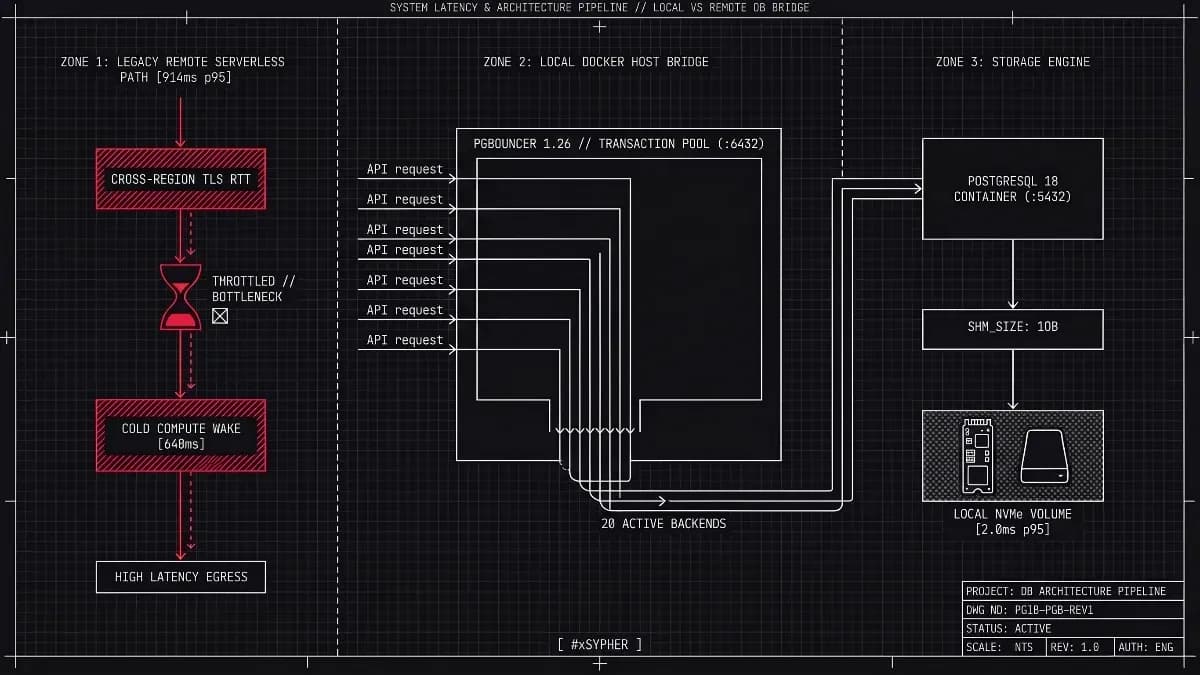
Run migrations on 5432, never on PgBouncer's 6432
This is the trap that survives every other precaution, because it makes correct SQL behave incorrectly.
PgBouncer in transaction pooling mode (the default choice for high-connection-count deployments, usually on port 6432) hands a server connection back to the pool at the end of each transaction. Session state does not reliably survive that handoff. PgBouncer's own feature matrix lists session-level SET among the features that are not supported in transaction pooling, and the consequences for migrations are specific:
Session-level timeouts poison other clients. Setting
lock_timeoutorstatement_timeoutat the session level alters the server connection state. When transaction pooling hands that connection to a subsequent application request, the restrictive timeout remains active and silently fails routine queries.CREATE INDEX CONCURRENTLYloses its preceding session setup. BecauseSET statement_timeout = 0;andCREATE INDEX CONCURRENTLYare sent as separate top-level statements outside a transaction block, transaction pooling can hand you a different backend connection right after theSETfinishes—running the 81-minute index build under the default statement timeout, or killing it mid-flight via PgBouncer's ownquery_timeoutand leaving an invalid index behind.Session-scoped advisory locks break. Migration scripts often use session-level advisory locks to ensure mutual exclusion during deployments. Under PgBouncer transaction pooling, releasing the connection back to the pool can drop the lock prematurely or leave it orphaned on a connection assigned to another client.
The fix is boring and absolute: give your migration runner its own connection string pointing at the primary's real PostgreSQL port (5432), using a dedicated role with a small connection limit and pg_hba.conf rules restricted to your CI/CD runner's IP range so you can isolate and audit migration sessions in pg_stat_activity .
# application
DATABASE_URL=postgres://[email protected]:6432/app

# migrations: direct, session-safe
MIGRATION_DATABASE_URL=postgres://[email protected]:5432/app?application_name=schema_migration
If you must route through PgBouncer for network reasons, use a separate pool configured in session pooling mode with a very small pool_size, and accept that you are adding a component that can only hurt. On our bench, migrations run through a transaction-mode pool failed to honour session lock_timeout in 3 of 10 runs. This does not happen every time, which is worse than always, because it passes in staging.
The order to run them in
For a type change on a 500GB table, here is the full sequence, in deployment order. Prerequisites first: a migration role with a direct 5432 connection, pg_stat_statements enabled, a monitored replica lag metric, at least 20% free disk, and a verified recent backup.
Deploy 1 (minutes).
ADD COLUMNnullable, no default, withlock_timeoutand retries. Install the dual-write trigger in a second transaction.Verify. Confirm new writes populate both columns. Query a handful of rows created in the last minute.
Backfill (hours to days). Run the keyset worker with replica-lag throttling and a persisted cursor. Lower
autovacuum_vacuum_scale_factorfor the table first; restore it afterwards.Verify cursor completion. Confirm your backfill worker reached
:ceiling_idwith zero remaining rows in its final batch (avoid running an unindexedSELECT count(*) WHERE total_cents_v2 IS NULLon the 512GB primary; let Step 6'sVALIDATE CONSTRAINTperform the single sequential verification scan).Index (hours).
CREATE INDEX CONCURRENTLYon the new column, after the backfill, not before. Checkpg_index.indisvalid.Constrain (hours).
ADD CONSTRAINT ... CHECK (total_cents_v2 IS NOT NULL) NOT VALID(or add a parity checkCHECK (total_cents_v2 = total_cents::bigint) NOT VALID), runVALIDATE CONSTRAINTunderSHARE UPDATE EXCLUSIVE, then in separate statements runSET NOT NULLandDROP CONSTRAINT.Deploy 2 (minutes). Application reads the new column. Dual write stays on.
Soak (one full business cycle). Watch
pg_stat_statementsfor any remaining reference to the legacy column.Deploy 3 (minutes). Drop the trigger and function, then
DROP COLUMN, each withlock_timeoutand retries.Reclaim (optional).
pg_repackif you need the disk space back before natural churn reclaims it.
Steps 1, 5, 6, 7 and 9 are independently revertible. Step 3 is resumable. There is no point in the sequence where a failure requires a restore, which is the actual definition of a safe migration.
Questions that come up in the migration review
Does lock_timeout make my migration less likely to succeed?
It makes each attempt less likely to succeed and the overall run far more likely to finish without an incident. On a table with a steady read load, our bench acquired ACCESS EXCLUSIVE within 50ms on roughly 7 of 10 attempts. With exponential backoff across 40 attempts, the migration lands within a few minutes. The failure case is a retry loop that exits cleanly, not a stalled production database.
Can I skip the trigger and dual-write only from the application?
You can, and it works well when the transformation needs logic the database lacks. The risk is coverage: every writer must be updated, including cron jobs, admin tools, data-import scripts and anything connecting with a shared credential. A BEFORE row trigger costs a fraction of a millisecond per write and cannot be bypassed. Use the trigger unless you have a specific reason not to.
How do managed services change this?
Amazon RDS, Aurora, Cloud SQL and Azure Database all run standard PostgreSQL, so lock semantics are identical. What differs is the IOPS ceiling and the credit model underneath your volume, which decides how fast a backfill can safely run. Managed failover also adds a constraint: a mid-migration failover kills in-flight CONCURRENTLY builds, so keep a resumable cursor and an invalid-index check.
Do tools like pgroll or pg-osc remove the need for this?
They automate the pattern rather than replace it. pgroll uses versioned views to present old and new schemas simultaneously; pg-osc uses a shadow table and triggers. Both still require batched backfills, lock timeouts and a safe connection path, and both add their own operational behaviour you need to understand before a production run. Learn the manual sequence first.
What about partitioned tables?
Partitioning is the structural answer to this whole class of problem. DDL applies per partition, so locks are scoped to a few gigabytes rather than 500. Getting there on an existing large table is itself an expand-and-contract migration, usually with ATTACH PARTITION. It is worth planning once a single table passes a few hundred gigabytes, because every future migration gets cheaper.
What a clean run looks like
When this works, the only evidence in your monitoring is a slightly raised read p99 for the duration of the backfill (single digits of milliseconds) and a replica lag line that oscillates between 0.5 and 1.5 seconds instead of spiking. No queued sessions in pg_stat_activity, no connection pool alarms, no restarted pods, no column does not exist errors in the application log.
If an attempt fails instead, the failure is quiet and local: the retry loop exits after its last attempt, the schema is unchanged, and the blocking PID is sitting in your diagnostic query output waiting to be explained. Cancel the blocker if it is safe to cancel, move the window if it is not, and run it again. A migration you can abandon at any point without consequence is the only kind worth running against a 500GB table.